
AI Face Swap Online or in an App?



If you need one quick swap on a laptop, an online AI face swap site will do. If you're working from your phone, want to keep your results in one place, or plan to make more than a couple of images, an app is quicker: your photos are already on the device and you're not uploading your face to a new website every time.
Face Swap AI is an app for iPhone, iPad and Android, with no website version. This is how the two approaches compare.


How online face swap sites work
You upload a photo of a face and a target photo, a server runs the model, and you download the result. Most sites fund this with credits, watermarks, ads or a sign-up wall, and many add a queue at busy times.
On a phone, that means switching between the browser, Photos and Files to find the right images, then downloading the result into a folder you'll have to dig through later.
What changes when you use an app instead
- Camera and gallery built in. Take a fresh selfie or pick one from Photos without leaving the app.
- Templates made for faces. 60+ portraits with lighting and angles that suit a swap, grouped by use.
- History. Every result is saved on your phone and grouped by style, so you can come back to it.
- Save and share in one tap. Results go straight to Photos or the share sheet.
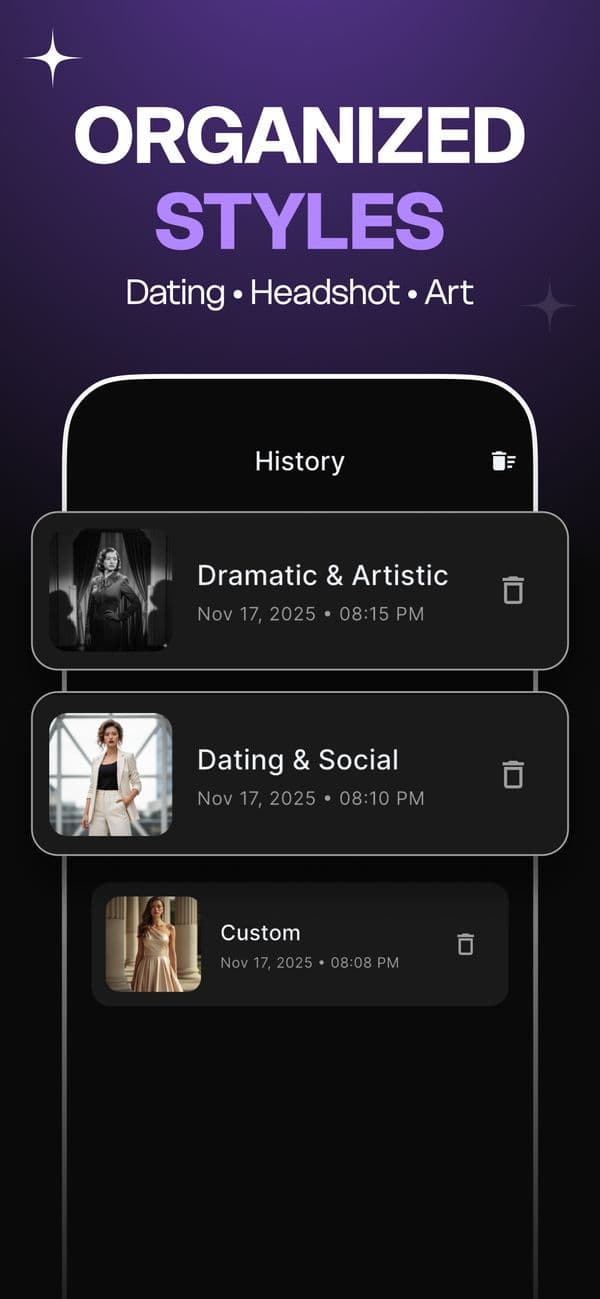
Online AI face swap vs. Face Swap AI app
| Online face swap site | Face Swap AI app | |
|---|---|---|
| Device | Any browser | iPhone, iPad (iOS 13+) and Android |
| Getting photos in | Upload from Files or Photos | Camera or gallery inside the app |
| Templates | Usually none | 60+ in 6 categories, Female and Male |
| Results | Downloaded files | Saved in History, Photos and share sheet |
| Cost | Free with limits, or credits | Free download, PRO subscription for swaps |
| Photo retention | Varies by site | Deleted from servers within 7 days |
Privacy: where does your face go?
In both cases the AI runs on a server, so your photo leaves your device. The questions to ask are the same for a website or an app: how long is the photo kept, is it used to train models, and is it shared with anyone?
Face Swap AI deletes processed photos within 7 days, doesn't use them to train AI models without your consent, and doesn't sell or share face data with advertisers. More detail in is AI face swap safe?
On a computer right now?
Scan the QR code on the download section of our homepage with your phone camera. It opens the right store for your device, App Store on iPhone and Google Play on Android.
Questions
Can I use Face Swap AI on a computer?
Not directly. It runs on iPhone, iPad and Android. If you're on a laptop, scan the QR code on our homepage to install it on your phone.
Do online face swap tools keep my photos?
It depends on the site. Look for a stated deletion period in the privacy policy before you upload. If you can't find one, assume the photo is kept.
Keep reading



Free AI face swap: what's really free
Looking for a free AI face swap? What free web tools and apps really give you, where the catch is, and when an app like Face Swap AI is the better pick.



Is AI face swap safe?
What happens to your photo in an AI face swap app, how long it's kept, and the consent rules to follow. Plus Face Swap AI's privacy policy in plain English.



Best AI face swap app: a checklist
How to pick the best AI face swap app: realism, templates, watermarks, price, privacy and speed. A 7-point checklist, plus how Face Swap AI measures up.