
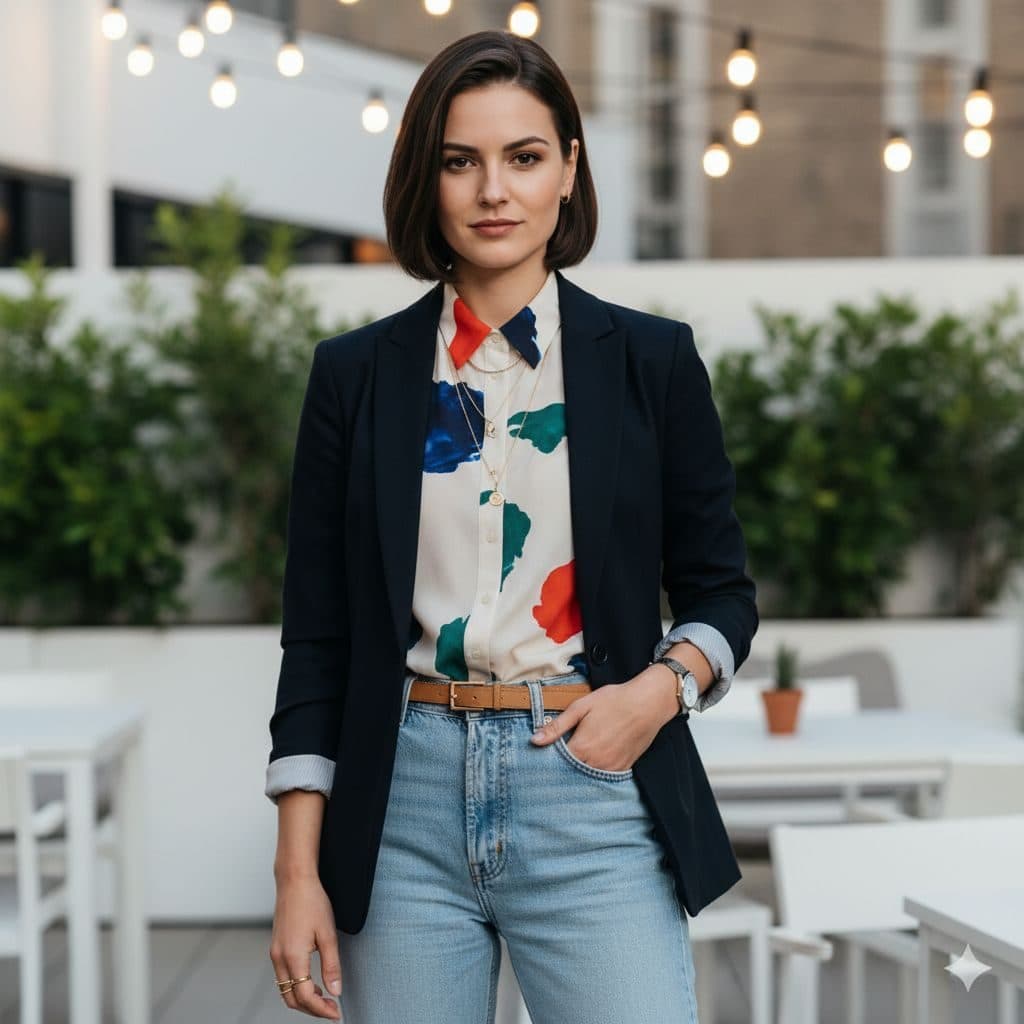
The Trendy Casual template, before your face is added.
Casual & Lifestyle template
Rooftop Photo of Yourself
Trendy Casual is a rooftop-bar look: navy blazer over a bold printed shirt, high-waisted jeans and string lights overhead. It's relaxed, fashionable and works for almost any profile.


- Template
- Trendy Casual
- Category
- Casual & Lifestyle
- Style
- Contemporary fashion
What's in the Trendy Casual template
A woman with a dark bob stands on a rooftop terrace in a navy blazer with rolled sleeves over a white shirt with colorful brushstroke prints, light-wash jeans and a tan belt, one hand in her pocket. String lights, planters and white tables fill the background. Soft daylight, framed from the knees up, with a slight smile.
How to use the Trendy Casual template
- Download Face Swap AI on iPhone or Android.
- Open the Casual & Lifestyle category and tap Trendy Casual.
- Add a clear selfie from your camera or gallery, then tap Swap Faces.
- Your photo is ready in under a minute. Save it to Photos or share it.
What people use it for
- Dating and social profile pictures
- Fashion and outfit inspiration
- After-work and weekend posts
Tips for a natural result
- The bob haircut stays, so this suits short hair best.
- A slight, confident smile matches the template.
- Face the camera straight on in soft, even light.
More advice in how to make a face swap look realistic.
Questions
Is Trendy Casual good for a dating profile?
Yes. It shows style without looking overdressed, which makes it a good second or third photo.
Can I try the outfit on my own photo instead?
Use Create Your Own with a photo of yourself as the face and this kind of outfit photo as the target, if you have one you're allowed to use.
More Casual & Lifestyle templates

Natural Outdoor Profile Picture
Natural Casual

Smart Casual Headshot
Smart Casual

City Night Photo of Yourself
Urban Casual

Minimalist Profile Picture
Minimalist

Coffee Shop Aesthetic Photo
Weekend Casual

Running and Fitness Profile Picture
Active Lifestyle

Cozy Fireplace Photo
Cozy Casual
All Casual & Lifestyle templates →
Related guides



AI dating profile photos, done honestly
Use AI face swap to make better dating profile photos without catfishing. Which shots to make, which templates fit, and what to keep real.



AI photo face swap, with real examples
AI photo face swap for iPhone and Android: put your face into a styled photo template or swap faces between any two pictures. Ready in under a minute.

Is AI face swap safe?
What happens to your photo in an AI face swap app, how long it's kept, and the consent rules to follow. Plus Face Swap AI's privacy policy in plain English.